Quantcast

What works and what is paused ยท Email is limited to account activation and password resets.

Jump to content


Photo

Three FREE Sig Graphics


  • Please log in to reply
7 replies to this topic

#1 LockeAndKey

LockeAndKey
  • 5 posts

Posted 18 April 2011 - 06:20 AM

What the topic title says. I need to compile some more brushes, textures, c4d's etc so throw any request at me... But only the first three will get a sig.

Please provide an image(s) and if possible, a color theme you'd like me to use!

I can also animate text, or if it's a pixel sprite, I can do that too.

No examples - These are free and can be ordered at your own risk!

Slots:
1) Open
2) Open
3) Open

Edit: Can't spell on the topic title, forgive me. D: D: It's meant to read 'Three free signature graphics' derp

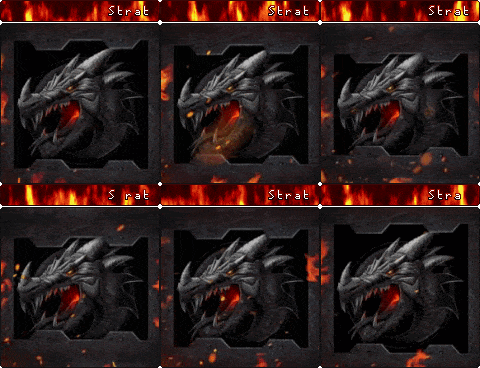
Edit: example using my own c4d I made following a tutorial is below. If you want one like this just post or pm me asking for a c4d banner in your choice of color.

Edited by LockeAndKey, 18 April 2011 - 12:09 PM.


Advertisement

    #2 Strategist

    Strategist
    • Sadmin

    • 10013 posts


    Users Awards

    Posted 18 April 2011 - 06:56 AM

    Just so you know you can edit the title if you go in to the full editor :) Good to see another fellow graphics enthusiast has come along. Sound like you know what youre doing.

    #3 Mahas

    Mahas
    • 503 posts

    Posted 18 April 2011 - 07:36 AM

    Well line me up i would like to see something really really animated, and if you could if you do use photoshop help me with how to make animated gifs. Thanks :D

    #4 LockeAndKey

    LockeAndKey
    • 5 posts

    Posted 18 April 2011 - 09:14 AM

    Maharayana - Anytihng in paticular? Lol, like... What img do you want and what text? I'm better at animating text, but yeah, if it's pixels I can animate those a bit too, it's just a bit of work.

    And Stategist - Oh, thankyou! I don't go on forums that use this software, or let you edit topic titles, so that's neat. It's fixed now thanks to your help. ^^ Also, I don't know what I'm doing really, I'm new to signature making, but my friend used to do them. I just finished my first c4d render following a tutorial, but atleast I managed to make one. XD

    #5 Mahas

    Mahas
    • 503 posts

    Posted 18 April 2011 - 07:58 PM

    Well i would like a siggy of several animated sprites of your choice, they have to be cute, i need animated text, and a background that is animated. Must be very colourful and needs to have a black border.

    #6 Strategist

    Strategist
    • Sadmin

    • 10013 posts


    Users Awards

    Posted 18 April 2011 - 09:49 PM

    And Stategist - Oh, thankyou! I don't go on forums that use this software, or let you edit topic titles, so that's neat. It's fixed now thanks to your help. ^^ Also, I don't know what I'm doing really, I'm new to signature making, but my friend used to do them. I just finished my first c4d render following a tutorial, but atleast I managed to make one. XD


    Yeah its pretty handy to have that ability hey. I love your siggy, it looks really well done. Tutorials are how i learned most of my skills with Photoshop. They can be really easy to do once you know how. Deviantart.com has a wide range of tutorials and brushes/actions downloads for photoshop too. Check it out if you havent already.

    #7 LockeAndKey

    LockeAndKey
    • 5 posts

    Posted 19 April 2011 - 06:33 AM

    Well i would like a siggy of several animated sprites of your choice, they have to be cute, i need animated text, and a background that is animated. Must be very colourful and needs to have a black border.


    I think I know what to do - It will take a while but I have an idea. Do you have any sprite preference? Like pokemon, final fantasy, ragnarok, etc etc?

    Do you want your username on it for the text? XD I can't work if everything is so vague! lol

    Yeah its pretty handy to have that ability hey. I love your siggy, it looks really well done. Tutorials are how i learned most of my skills with Photoshop. They can be really easy to do once you know how. Deviantart.com has a wide range of tutorials and brushes/actions downloads for photoshop too. Check it out if you havent already.


    Thanks, I didn't know what to do with the render after I finished it so I just upped some contrast. If anyone wants the full size render, just drop me a pm. I have used photoshop for a few years now, but I never really checked out the tutorials for signature making - I draw digitally but I haven't really checked out how to make cool sigs. XD I so need to go on DA and download some brushes and actions though, I never thought of using actions. I usually manually use contrast and gradient maps etc, I'm such an idiot for not thinking to use actions beforehand. LOL, thanks again. :)

    Edited by LockeAndKey, 19 April 2011 - 06:36 AM.


    #8 Mahas

    Mahas
    • 503 posts

    Posted 19 April 2011 - 06:45 AM

    Grrr, then freestyle it...


    1 user(s) are reading this topic

    0 members, 1 guests, 0 anonymous users